Hey Qlibri ,
I hope things are going smoothly on your side.
Last time, we dove into how fynk makes working with Word files feel like they finally belong in this century.
This month, we’re taking things a step further and turning the spotlight on ✨ PDFs ✨ those essential files everyone sends around but almost no one actually knows how to edit properly.
We’ve been hard at work building tools that make PDFs easier to handle, smoother to edit, and a whole lot less headache-inducing.
Let’s dive in.
|
Password-protected and all
|
You’ve been asking for this one and we always listen.
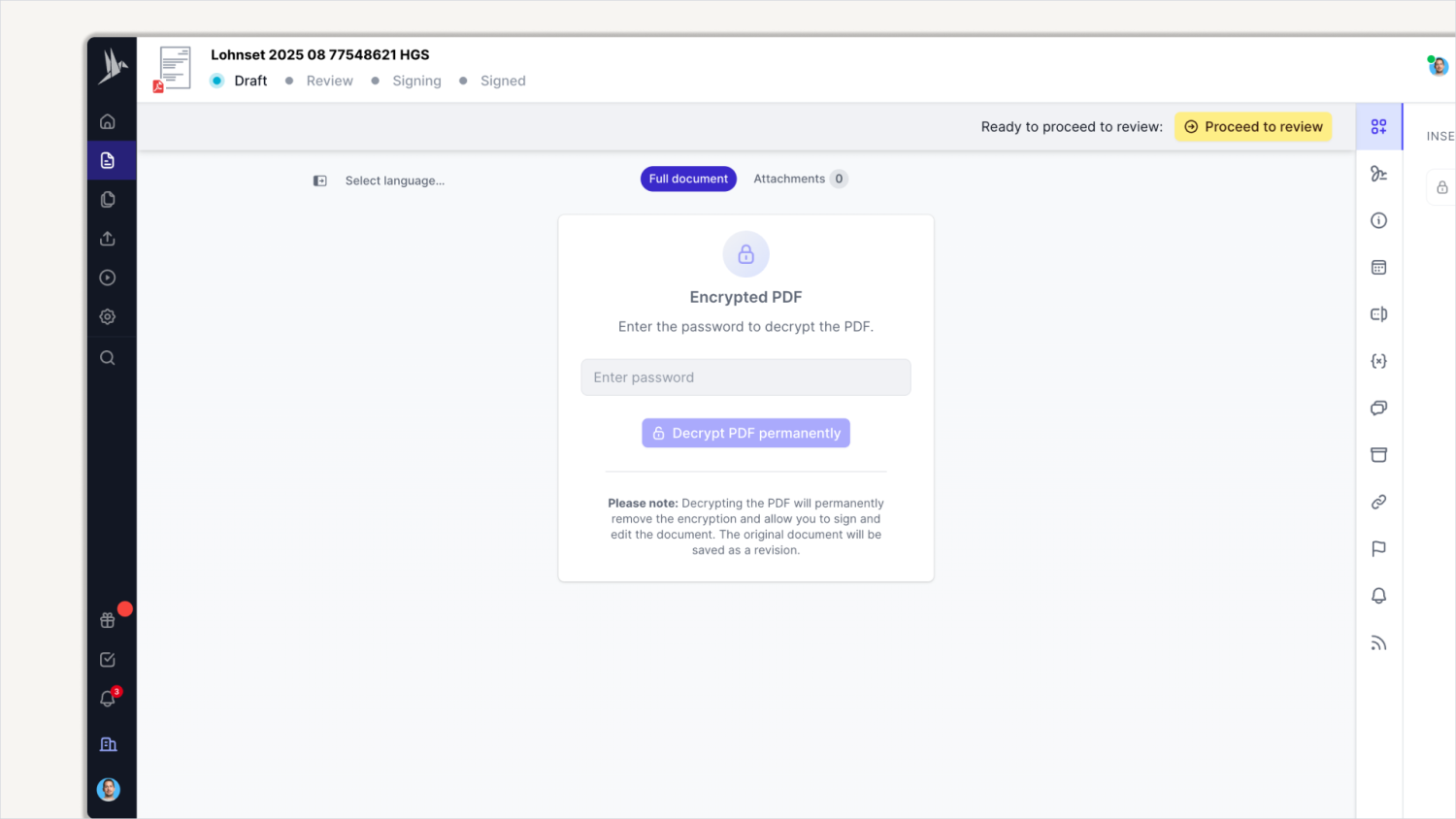
We’re excited to share that you can now upload your password-protected or encrypted PDFs to fynk. No more annoying 🚨 this type of file is not supported 🚨 error messages.
Here’s how it works: whenever fynk detects a protected file, it clearly lets you know and prompts you to provide the password.
From there, you can rest assured that no one else has access unless you grant it.
Once unlocked, you can use all the same editing tools you already know and love.
|
This is especially crucial for teams handling sensitive documents in finance, banking, insurance, or healthcare.
Now, instead of juggling files across different platforms, you can keep all your docs in one secure place.
Invite whoever you need to collaborate, edit as usual, and enjoy smoother uploads with fewer errors. 🪄
|
Unlock your PDFs with one click
|
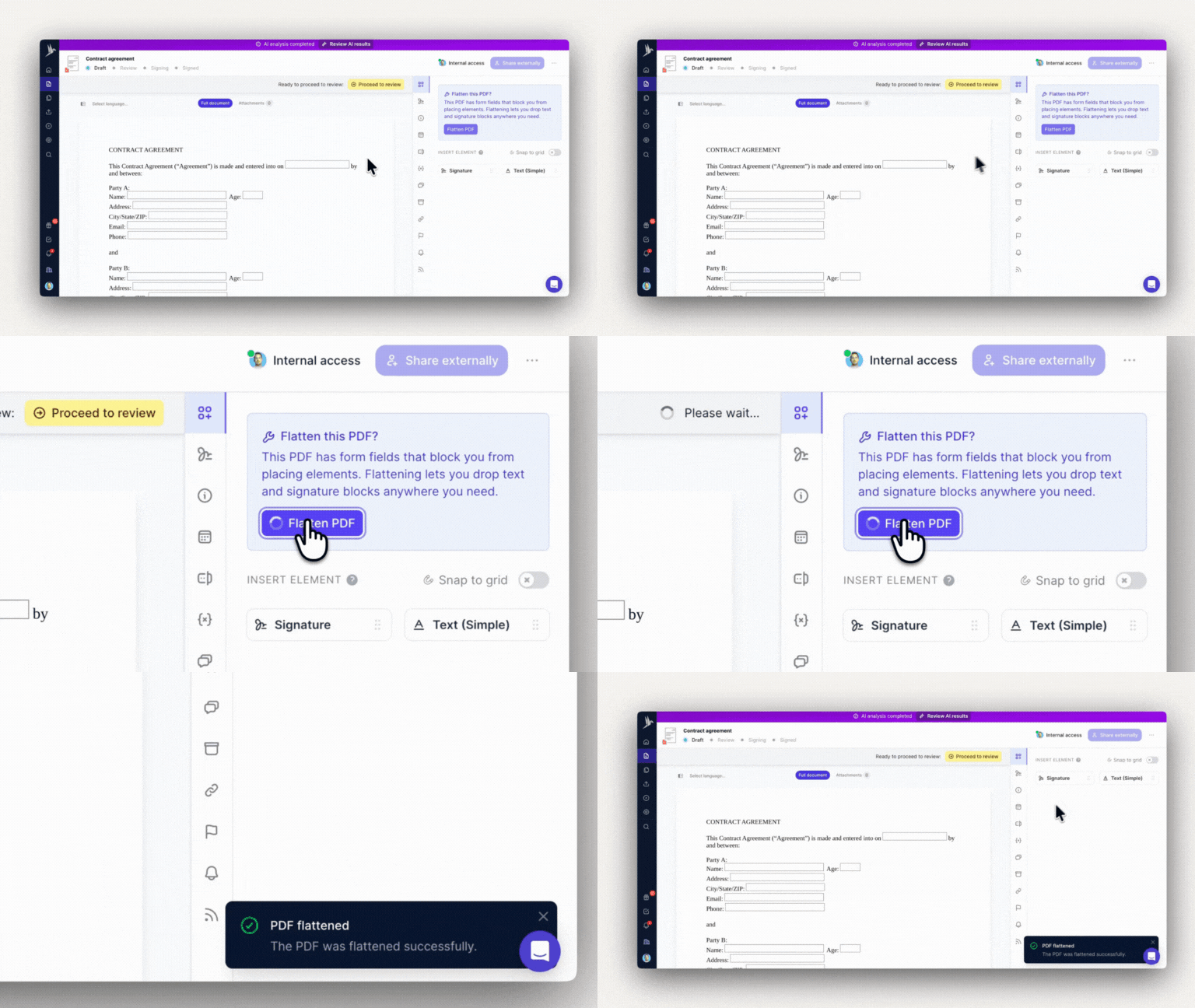
Some PDFs come with embedded form fields that block you from adding your own elements.
fynk automatically detects these form fields and gives you the option to flatten them with a single click.
|
Flattening removes those restrictions, creates a new revision of the file, and keeps your original safe with full audit history.
The result: a PDF you can edit freely, without losing control.
|
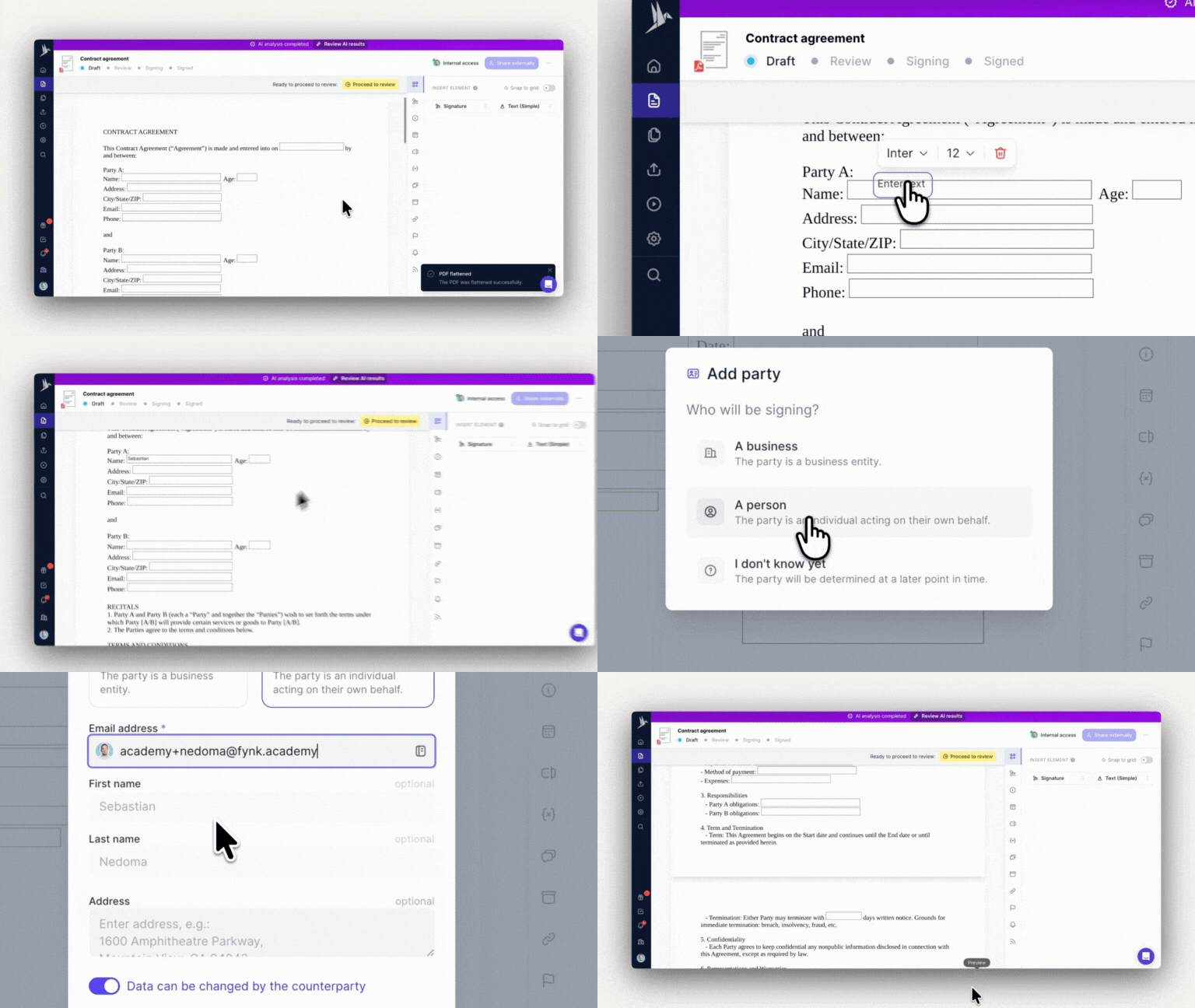
You can add elements directly from fynk’s editing menu to your PDF files with a simple drag and drop.
Need a signature box? Drop it in. Want a full text field? Easy.
With fynk, any PDF can become dynamic, interactive, and ready for collaboration.
|
That means you stay flexible, compliant, and in control. All while editing PDFs like a pro 😎
|
Just as you thought switching to fynk couldn’t get easier…
|
Working with external parties can be hectic. But not in fynk.
And this new feature for Word docs proves it. Yes, yes… I know. Today’s update is all about PDFs, but this is too good to keep quiet.
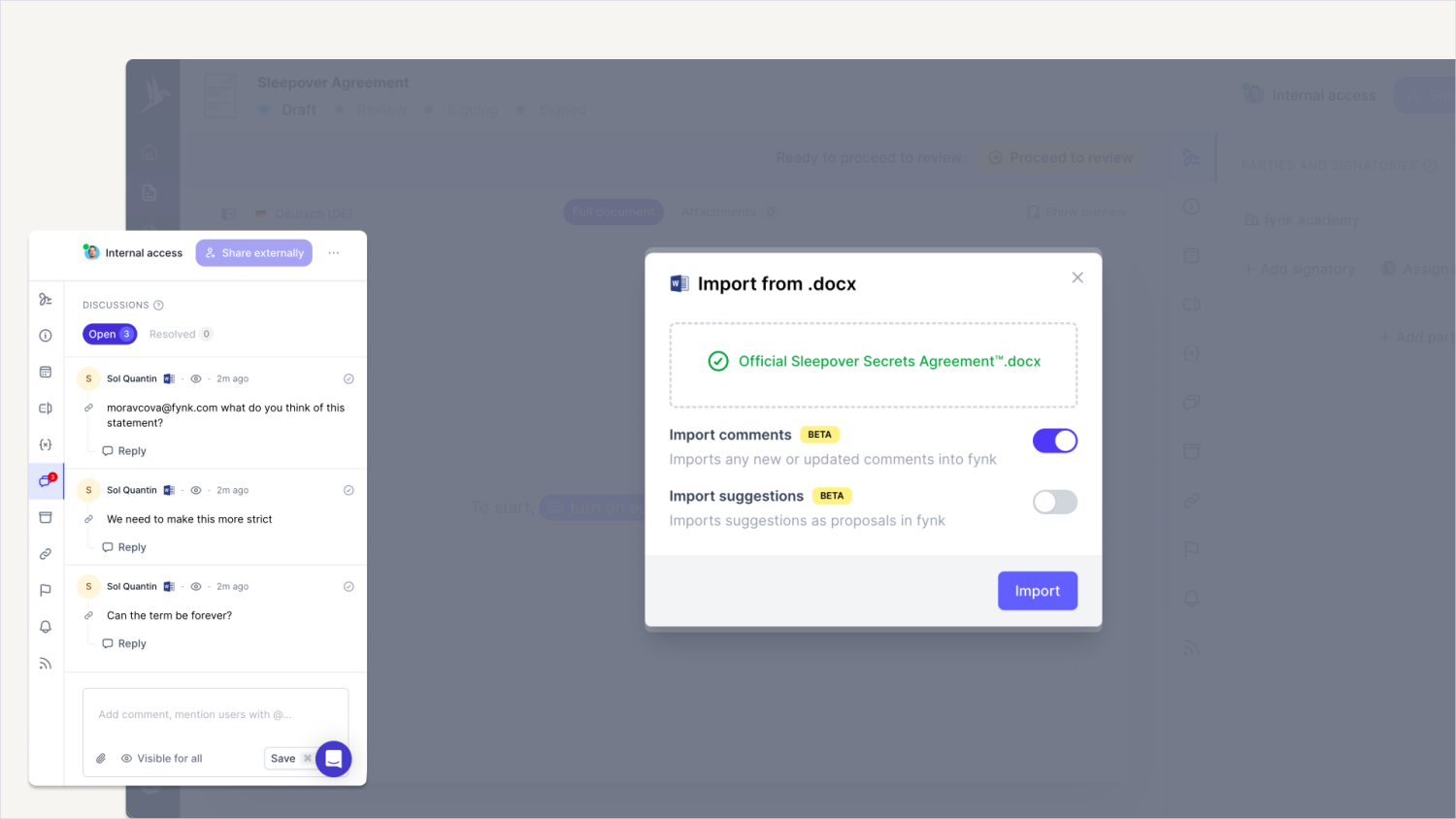
Comments and suggestions from your Word files now come straight into fynk. Exactly what you’re thinking: your colleague’s note on the exclusivity clause or your lawyer’s question about “the other party” section? All preserved.
Nothing gets lost.
|
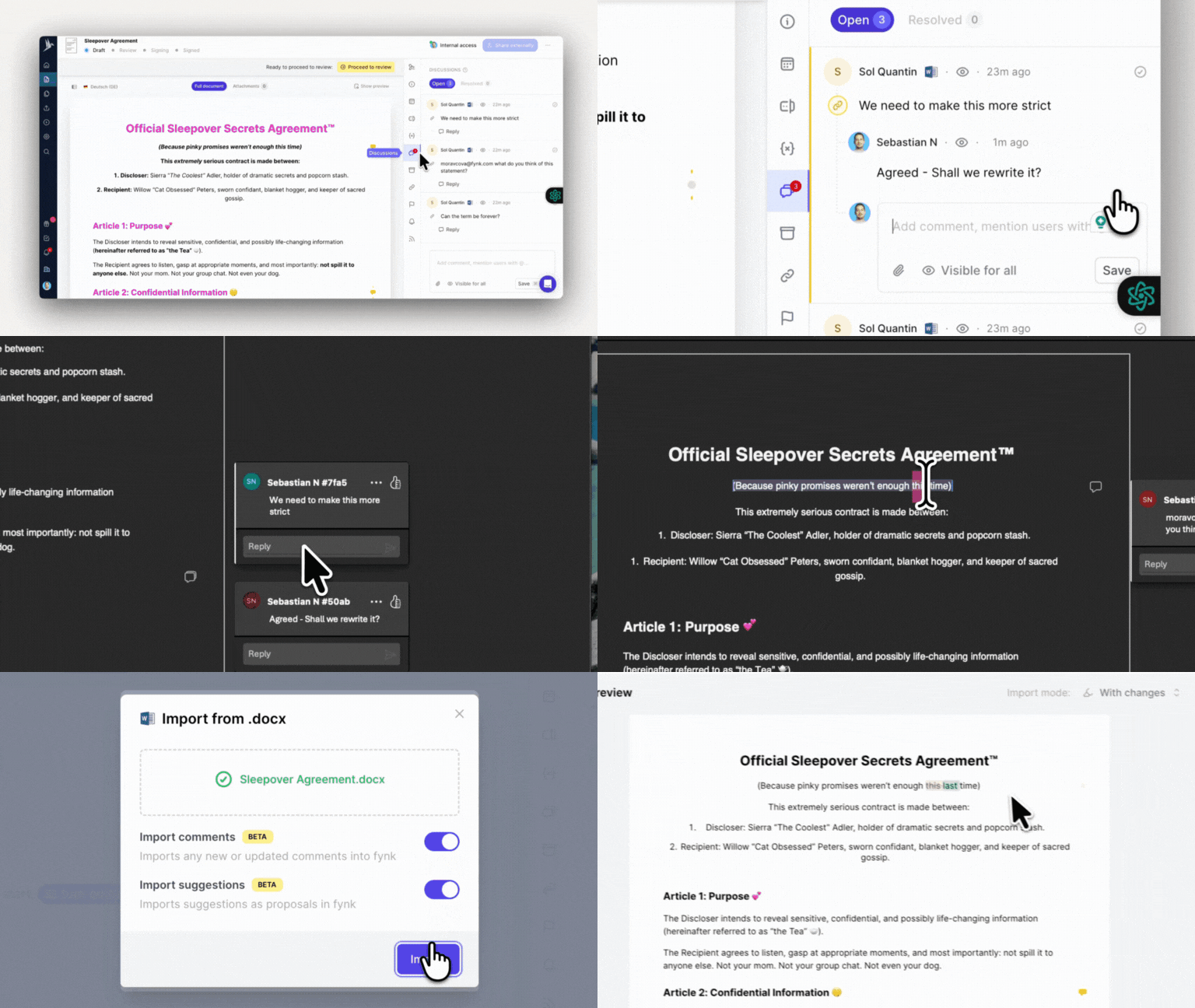
📥 Import a Word doc → All comments and track changes are automatically transferred into fynk as external comments and proposals, tagged with the original author’s name.
When importing, you decide:
🔵 Before changes → ignore suggestions
🟠 With changes → upload suggestions as proposals
🟣 With applied changes → treat suggestions as accepted
Any old proposals missing in the new version? fynk automatically marks them as resolved, keeping everything tidy.
|
And it works the other way around too. You can export from fynk to Word for those who can’t let go of .docx 🫣
Your file goes out with comments and proposals included, track changes turned on.
|
When edits come back, fynk maps them to the right comments and keeps the conversation flowing.
|
Curious to know what else is new?
|
These are just the highlights.
To dive deeper into what’s changed (and what we’re working on), read my full product update.
|
Anything you're missing from us?
|
I’m all ears.👂
At fynk, we want to build a product that’s genuinely useful to you.
If you want to give us feedback in person, book a slot with one of our product experts 👉 here 👈
|
Goodbye friction, hello flow — fynk makes legal documents easy to manage, understand, and move forward. You received this email because you subscribed to fynk's email communication.
|
© fynk GmbH
Heinrichsgasse 2/1/8
1010 Wien
Austria
|
|